Web forensics software
Preserve online evidence before it disappears.
Eviquire helps investigation teams collect websites, social and instant-message content, video, email, downloads, and dark-web material - and record Android screens - with the technical context needed for review.
One documented acquisition
The problem Eviquire solves
Online evidence is volatile. A screenshot is often incomplete.
Pages can change, posts can be deleted, and a screenshot may not show the source, the surrounding context, the technical exchange, or how the record was created. That makes later review, verification, and handover more difficult.
The Eviquire approach
Eviquire makes it easier to acquire social-media posts, comments, profiles, online video, streaming content, webpages, and related multimedia in one controlled workflow. It records what appeared on screen alongside relevant network traffic, technical artifacts, hashes, timestamps, and chain-of-custody records.
The result is a structured package for review—not a claim that any tool can guarantee a legal outcome.
Why a forensic browser instead of an extension →Inside Eviquire Desktop
See the workflow in the product.
Explore real demonstration screens from acquisition setup through collection, review, and reporting. Select an image to view it in detail.
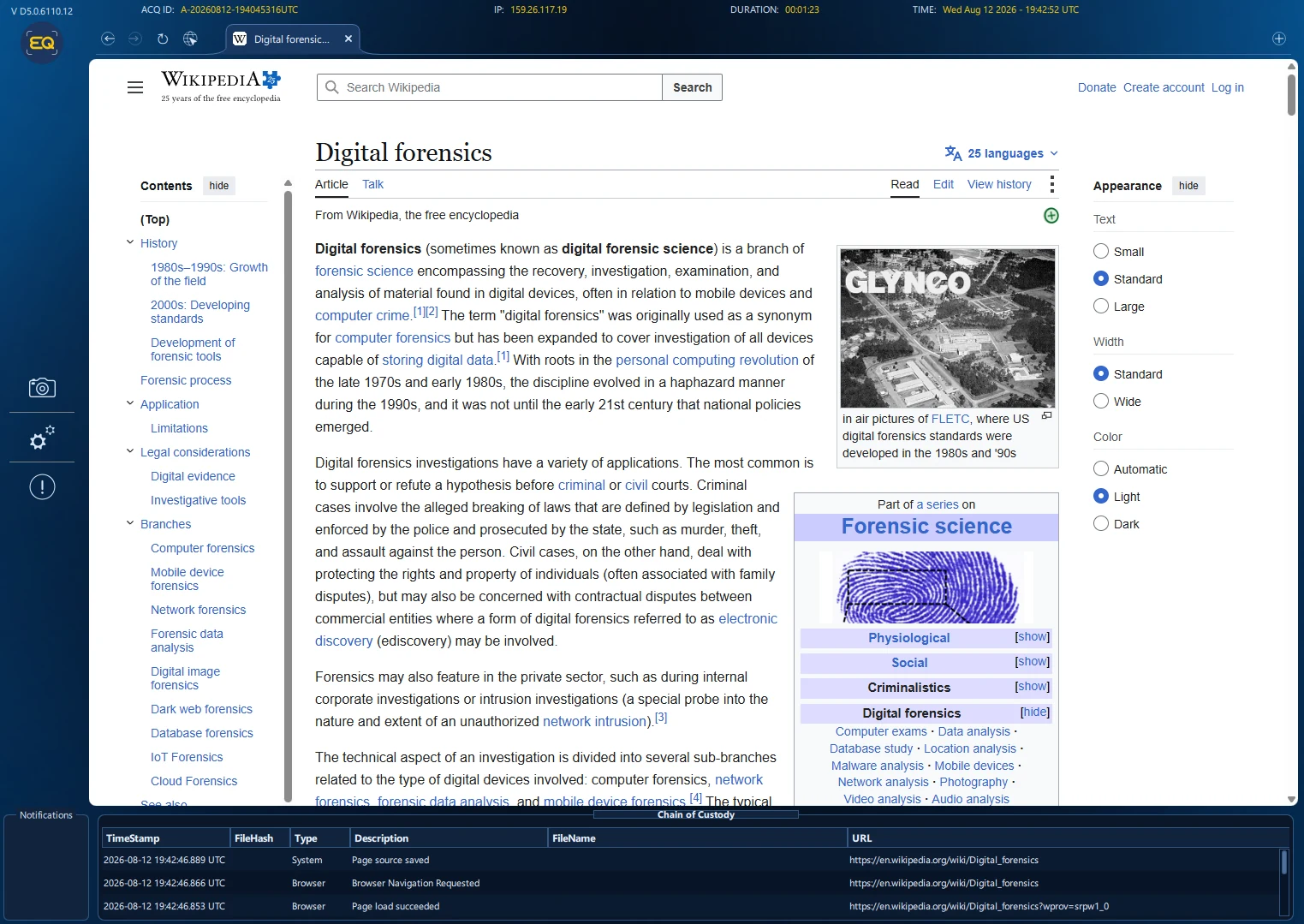
Work in the Eviquire Forensic Browser
Use a dedicated web-forensics environment to collect relevant online material in a controlled, documented workflow.

Collect social-media context
Expand relevant comments and replies in a controlled workflow so the captured record can retain the surrounding conversation.
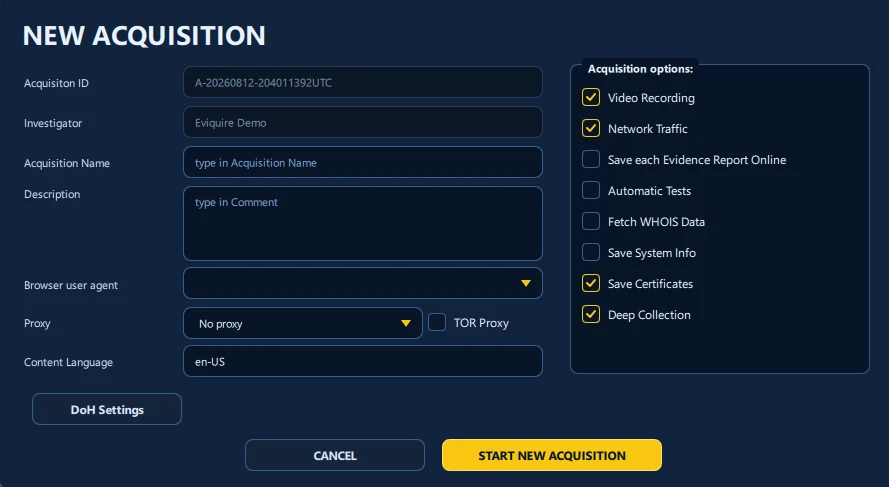
Prepare a documented acquisition
Define the evidence task and select acquisition-session video recording, network-traffic capture, certificates, and available deep collection before collection begins.
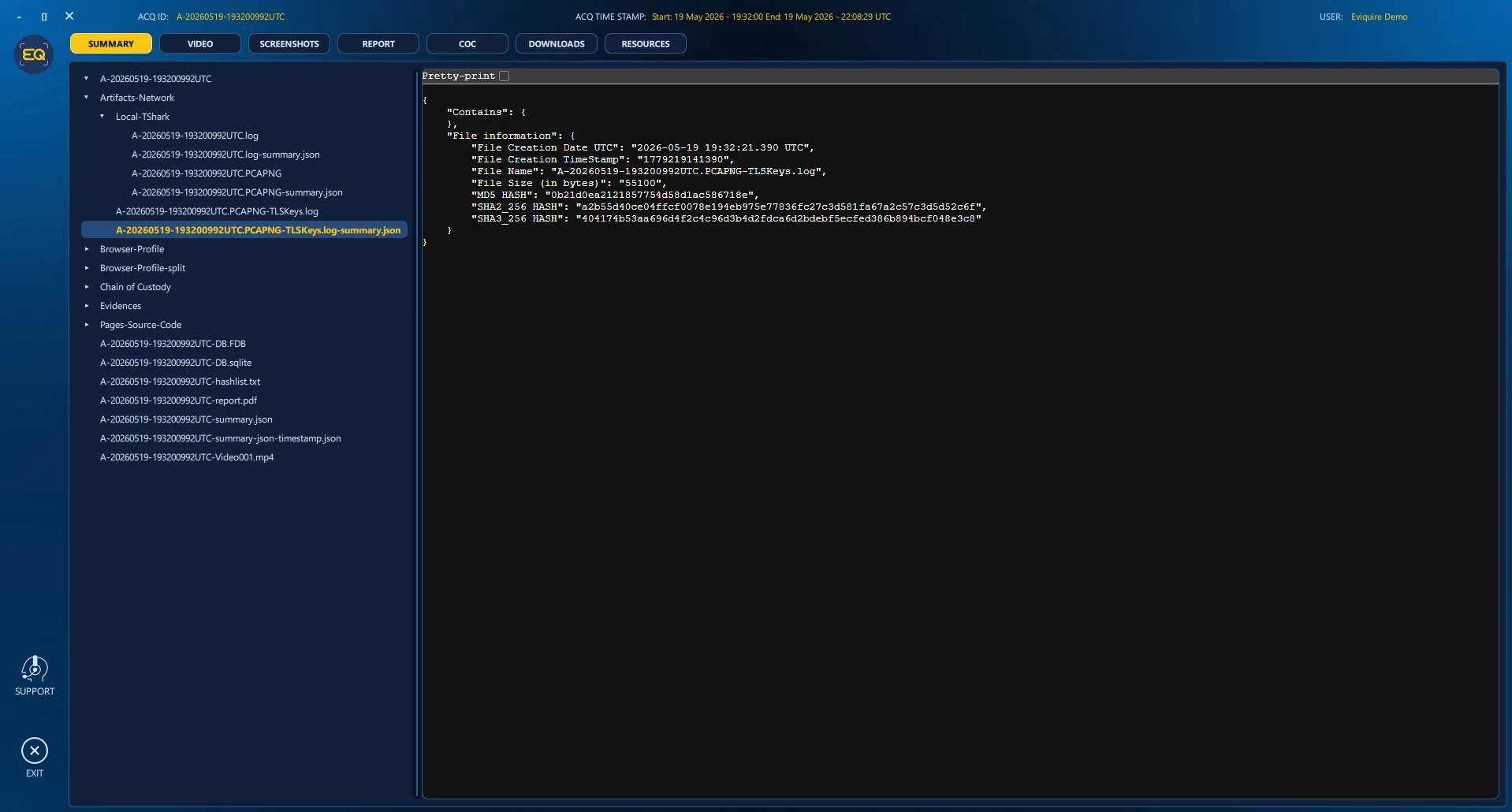
Inspect the resulting artifacts
Review captured material alongside the evidence package instead of treating a single screenshot as the complete record.
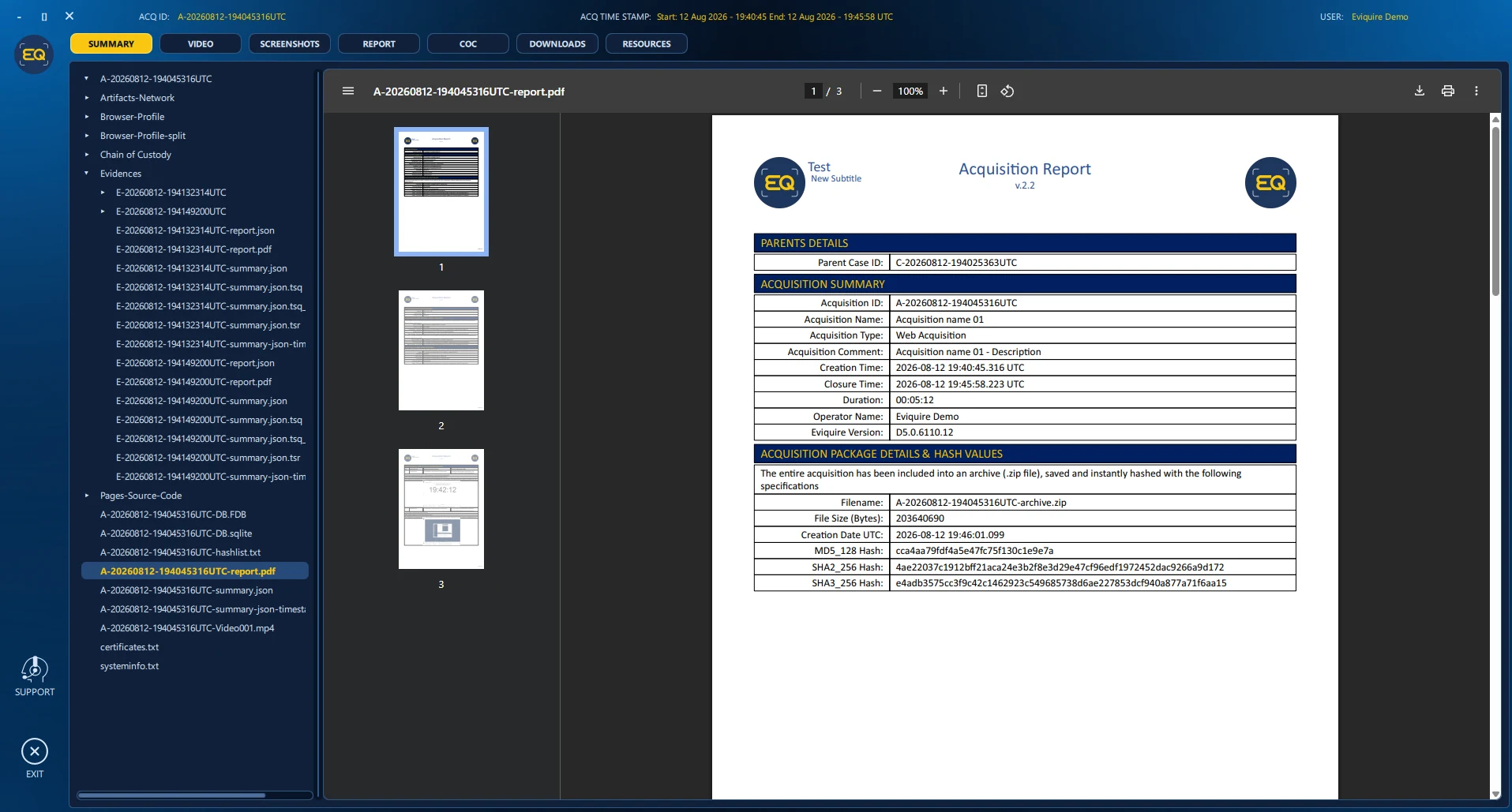
Review the acquisition report
Follow the recorded acquisition details and linked evidence items in a report designed for later examination.
Find Eviquire for your role
What kind of work do you do?
Select your profession to see relevant evidence sources, workflows, capabilities, outputs, and use cases.
 Forensic expertsAcquire online evidence with technical context, integrity verification, custody records, and reporting.
 Law enforcementPreserve volatile online evidence for authorized criminal and intelligence investigations.
 Law firmsPreserve websites and online content for litigation, disclosure, legal holds, and expert review.In-house legal teamsPreserve early evidence for disputes, compliance, legal holds, and outside-counsel review.
 Private investigatorsTurn online findings into organized, verifiable evidence and professional client reports.
 OSINT analystsConnect volatile online findings to their sources, time, collection method, and integrity records.
 HR and due-diligence teamsPreserve relevant online material for employment, compliance, fraud, and diligence matters.
 Journalists and NGOsDocument public-interest material before it is edited, deleted, restricted, or blocked.
 Copyright and trademark professionalsPreserve listings, branding, seller context, media, and related pathways before takedown.
 Cyber-threat intelligence teamsCapture malicious infrastructure, actor content, web resources, downloads, and network context.
More than a screenshot
Collect context, not just pixels.
Online content can change, be removed, or render differently at any moment. A repeatable evidence-acquisition workflow preserves relevant material alongside the source, technical context, integrity records, and process documentation an examiner needs to understand the result.
The evidence package
See what supports the capture.
One acquisition can bring the content, the technical exchanges, and the records needed for later review together in a single case.
Capture the source
Record pages, media, downloads, screenshots, long pages, or dynamic feeds.
Expand the context
Use auto-scroll and comment or reply expansion where the workflow supports it.
Record the session
Document video activity and relevant network traffic during acquisition.
Protect the record
Keep hashes, timestamps, activity history, and chain-of-custody records.
Review and report
Organize the evidence in a case and produce a forensic report for review.
Use cases
Built around real investigative tasks.
Explore detailed workflows for collecting different forms of volatile online evidence.
Training and certification
Learn the discipline behind the software.
The team behind Eviquire helped create Ricta.io’s Advanced Web Forensics Course and its Certified Web Forensic Expert (CWFE) assessment pathway—covering internet foundations, browser internals, acquisition environments, methodology, best practices, and forensic reporting.
A workflow designed for review
Acquire
Capture relevant web content and the details that explain it.
Verify
Use integrity records and trustworthy time information to detect later changes.
Report
Organize material for a reviewer, case file, or professional report.
Desktop and SaaS
Choose the deployment that fits the case.
Use Eviquire Desktop when the acquisition must stay under your local control. Use Eviquire Cloud for browser-based access and centrally available workflows. Hybrid and on-premise options are available for teams with specific infrastructure or policy requirements.
Explore features
Frequently asked questions
How is online evidence preserved?
A defensible process captures relevant content and its context, records how it was acquired, and preserves integrity and custody information for later review.
Why are screenshots alone limited?
Screenshots can document what was visible, but normally omit source material, metadata, acquisition settings, integrity records, and chain-of-custody information.
Does Eviquire guarantee admissibility?
No tool can guarantee admissibility. Courts and decision-makers assess evidence under the facts and rules of the relevant jurisdiction.